Elecom DST-050BPBK 5-In-1 PD100W Docking Station
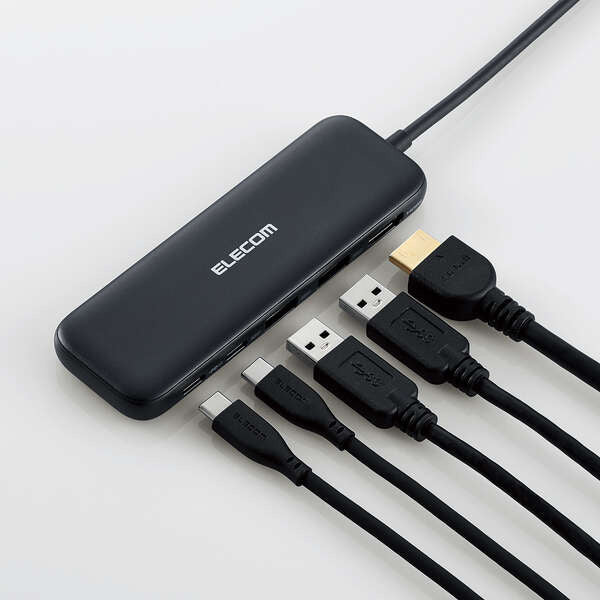
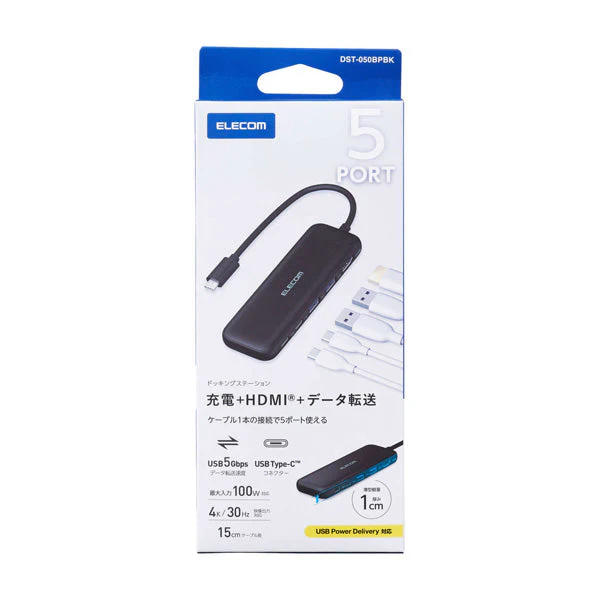
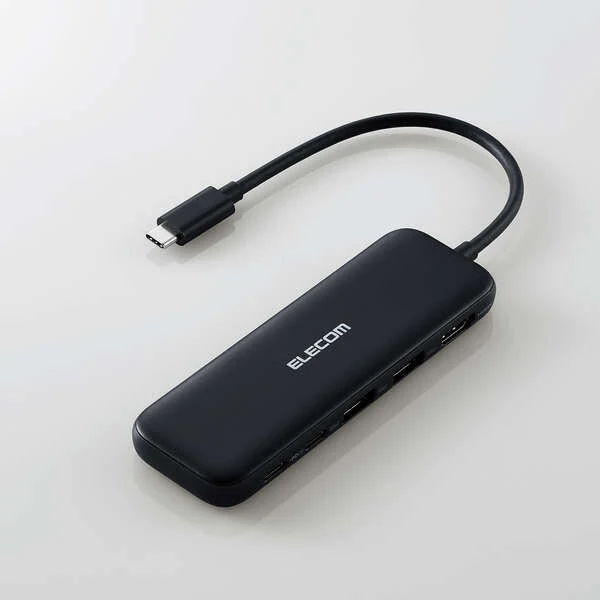
A docking station that allows you to connect USB devices and HDMI displays via the USB Type-C connector
It is a docking station that can be connected to a computer with a USB Type-C™ connector and can be connected to a USB device or HDMI display.
* It can only be used on PCs equipped with a USB Type-C connector as standard.
* If the main unit does not support charging from the USB Type-C connector, the main unit cannot be charged via the USB Type-C connector of this product. When charging, make sure that the device supports USB Power Delivery.
* This product does not work on the system screen or BIOS screen before the OS starts.
* Connect this product directly to the USB Type-C connector on the computer. This product cannot be used when connected to a USB hub or USB Type-C connector on an expansion board.
Batch connection of necessary peripherals with a single cable
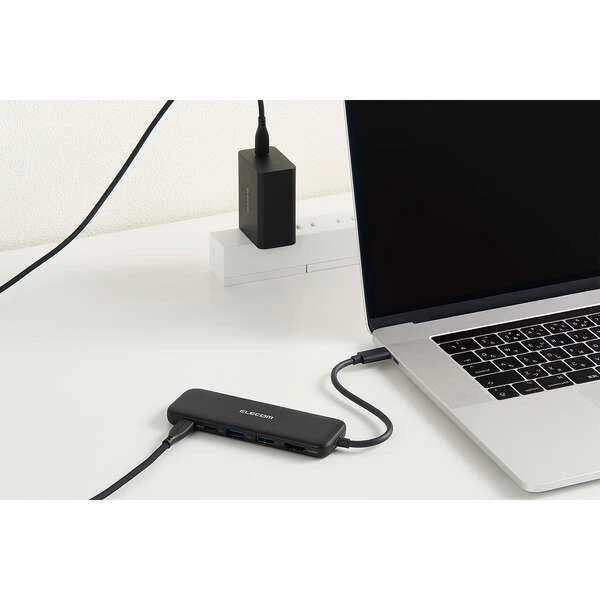
You can connect all necessary peripheral devices to a computer equipped with a USB Type-C connector with a single cable.
One USB Type-C port that supports USB 5Gbps
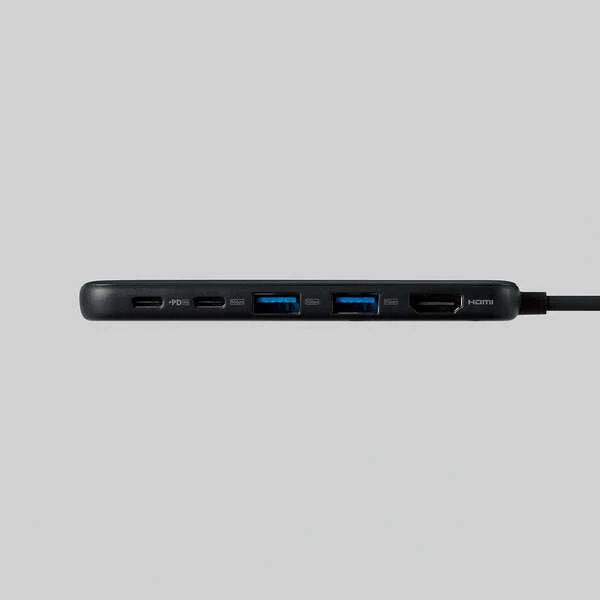
It has one USB Type-C port that supports USB 5Gbps.
* For data communication only. Video output is not supported.
* To use USB 5Gbps, your computer or device must support USB 5Gbps.
Capable of charging the computer itself
By connecting a USB Type-C power adapter, you can charge the computer via this product.
* Since the product itself consumes 15W, the actual output will be up to 85W.
* If you need to supply power at 85W, please prepare a charger with a 100W output.
Built-in HDMI port
It is equipped with an HDMI port that allows you to output video from a computer to an external monitor.
* When outputting video with this product, make sure that the device supports DisplayPort™ Alt mode.
Product Information
Product Information
Shipping & Returns
Shipping & Returns
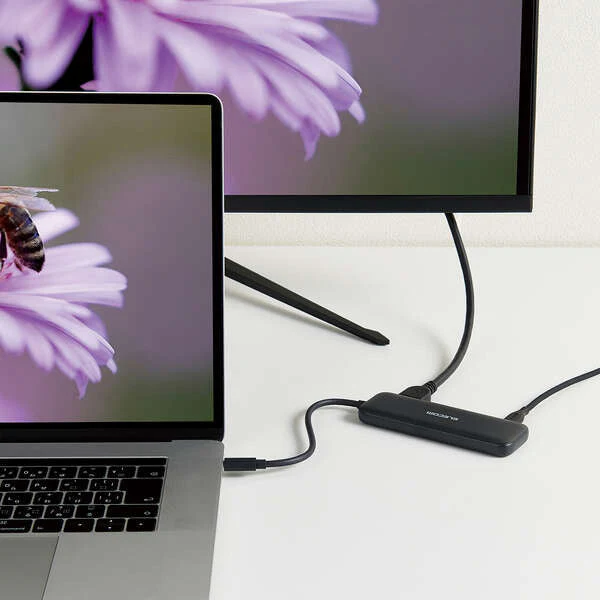
Elecom DST-050BPBK 5-In-1 PD100W Docking Station
Elecom DST-050BPBK 5-In-1 PD100W Docking Station
A docking station that allows you to connect USB devices and HDMI displays via the USB Type-C connector
It is a docking station that can be connected to a computer with a USB Type-C™ connector and can be connected to a USB device or HDMI display.
* It can only be used on PCs equipped with a USB Type-C connector as standard.
* If the main unit does not support charging from the USB Type-C connector, the main unit cannot be charged via the USB Type-C connector of this product. When charging, make sure that the device supports USB Power Delivery.
* This product does not work on the system screen or BIOS screen before the OS starts.
* Connect this product directly to the USB Type-C connector on the computer. This product cannot be used when connected to a USB hub or USB Type-C connector on an expansion board.
Batch connection of necessary peripherals with a single cable
You can connect all necessary peripheral devices to a computer equipped with a USB Type-C connector with a single cable.
One USB Type-C port that supports USB 5Gbps
It has one USB Type-C port that supports USB 5Gbps.
* For data communication only. Video output is not supported.
* To use USB 5Gbps, your computer or device must support USB 5Gbps.
Capable of charging the computer itself
By connecting a USB Type-C power adapter, you can charge the computer via this product.
* Since the product itself consumes 15W, the actual output will be up to 85W.
* If you need to supply power at 85W, please prepare a charger with a 100W output.
Built-in HDMI port
It is equipped with an HDMI port that allows you to output video from a computer to an external monitor.
* When outputting video with this product, make sure that the device supports DisplayPort™ Alt mode.
Product Information
Product Information
Shipping & Returns
Shipping & Returns
Description
A docking station that allows you to connect USB devices and HDMI displays via the USB Type-C connector
It is a docking station that can be connected to a computer with a USB Type-C™ connector and can be connected to a USB device or HDMI display.
* It can only be used on PCs equipped with a USB Type-C connector as standard.
* If the main unit does not support charging from the USB Type-C connector, the main unit cannot be charged via the USB Type-C connector of this product. When charging, make sure that the device supports USB Power Delivery.
* This product does not work on the system screen or BIOS screen before the OS starts.
* Connect this product directly to the USB Type-C connector on the computer. This product cannot be used when connected to a USB hub or USB Type-C connector on an expansion board.
Batch connection of necessary peripherals with a single cable
You can connect all necessary peripheral devices to a computer equipped with a USB Type-C connector with a single cable.
One USB Type-C port that supports USB 5Gbps
It has one USB Type-C port that supports USB 5Gbps.
* For data communication only. Video output is not supported.
* To use USB 5Gbps, your computer or device must support USB 5Gbps.
Capable of charging the computer itself
By connecting a USB Type-C power adapter, you can charge the computer via this product.
* Since the product itself consumes 15W, the actual output will be up to 85W.
* If you need to supply power at 85W, please prepare a charger with a 100W output.
Built-in HDMI port
It is equipped with an HDMI port that allows you to output video from a computer to an external monitor.
* When outputting video with this product, make sure that the device supports DisplayPort™ Alt mode.